
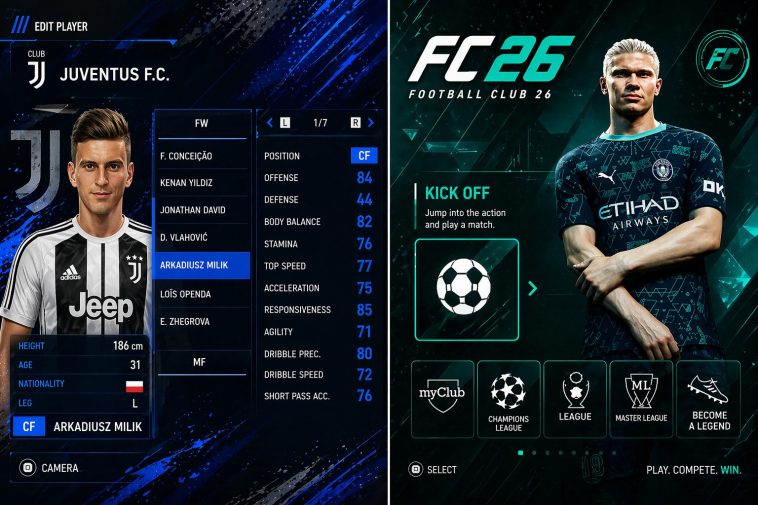
EA Sports FC 26 PSP ISO No Textures & Savedata, If you are one of those people who have tried running a PPSSPP game on an older phone and experienced overheating, and your phone felt like it was going to take off, then I think this article is for you. Do you know that there is a way to play PPSSPP games without those heavy files? I am talking about an intense game like football. I am talking about EA Sports FC 26 PSP ISO No Textures & Savedata.
Not everyone has a flagship phone, and that is fine; it doesn’t mean that those who don’t won’t have a chance to enjoy PPSSPP games. Some players are using 2 GB RAM phones, some use phones with older processors, and with those lower phones, when you load those games with ultra high textures and those detailed crowd overlays the phone might just break down despite the fact that some game are compressed, these extra files, just makes it too much for these small phones to handle. The EA Sports FC 26 PSP ISO No Textures is the saviour and the only way out to this one. It will not remove the football gaming experience, but it will only make it playable for users with smaller devices.
What EA Sports FC 26 PSP Actually Is
EA Sports FC 26 PSP is a huge seasonal modification, it was built on an older PSP football engine from over decade ago and has been transformed to a modern playable game in 2026, the updates reflects the complete 2026 season database, with refreshed kits in their new designs, adjusted player rating, and fresh UI design looks.
So while the engine may be from an earlier football game, you would feel like you are playing one of the latest ones available. You load into a match and see updated lineups, you scroll through clubs and recognise the fresh transfers and the new squad. This game is not a new or official release, it is the old game that modders have taken and have transformed it, and in the process modified it to be able to work from smaller and older devices.
What ‘No Textures’ Really Means
When some people hear no textures, they just believe the game is broken or it’s incomplete, well definitely not in this case.
What this version removes are additional HD textures packs, these files usually come different from the game original files and it mostly enhances the visuals of the game, well that is to make it look very clean and realistic as much as possible. These packs include high resolution
grass , the kits patterns, some extra stadium banners, custom face textures or maybe tattoos on players, and some extra graphics overlays.
These extra files make the games look very impressive and as realistic as it can get, but it comes at the price of processing power and weight, these files are really huge. So removing them would reduce strain on your older device, while still keeping the base PSP game visuals intact. Jerseys still look good with their new designs, the pitch would look normal and reasonable, and players are also very recognizable and somewhat realistic.
You simply lose extra visual polish, and in turn you gain a smoother gaming experience. Trust me if you have not played the HD textured game before, you wouldn’t feel like anything is missing in this one.
Why Savedata Matters
Savedata features are ones of those features that are often overlooked by some players, but can change the entire experience of the game. How? You may ask.
On a normal day when you install a football game on PPSSPP, you start from scratch, you get this default squad, locked competitions, no progress, nothing. But this savedata feature will help you bypass that initial set up.
A properly configured savedata would include the updated squad already applied, some unlocked tournaments, preset tactics for in match settings, and if you are lucky a save career, just waiting for you to open and fire on. Instead of spending so many hours trying to set up formations or spend time trying to set teams manually, you jump straight into playing.
For some players like me that like quick access to everything, this is very convenient for us.
Performance Expectations on Different Devices
Normally when I talk about PSP games on the phone, I always recommend a phone with 3gb ram or higher, but it depends on the game. But you see this particular one, I can recommend lower than 3gb ram. A phone with a solid 2gb ram can do the trick for you. The game play just feels consistent. So 2gb and 3gb ram are good enough for this not the best tho. But I cannot assure you that your frame rate won’t drop a little lower on a 2gb ram phone.
But on higher devices the difference is massive, you are not just saving yourself space on your device considering that the file is much smaller than the other versions, but the performance difference is also worth it, your battery lasts longer, your phone doesn’t feel hot, and the entire game doesn’t skip a single frame.
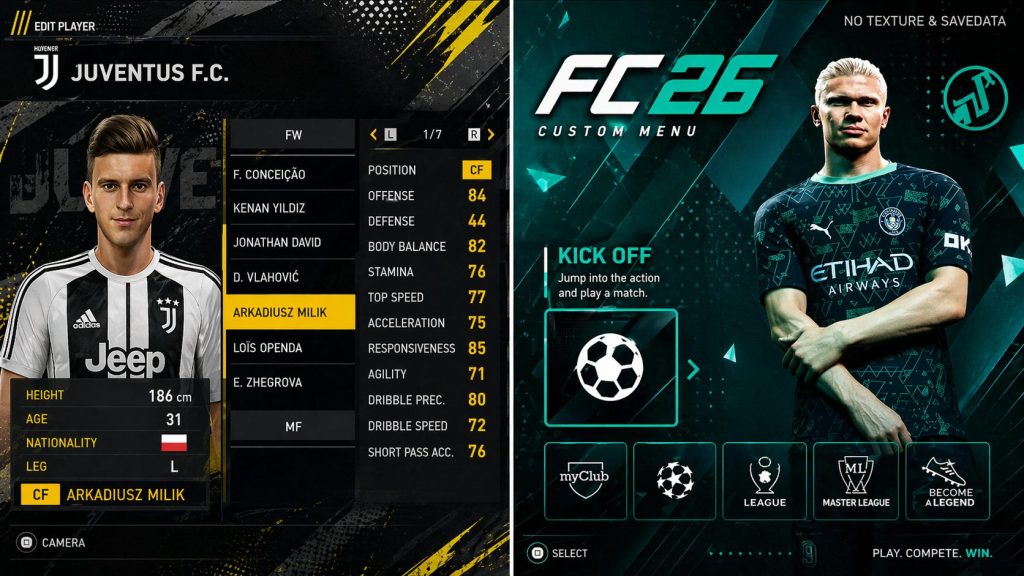
How To Set Up EA Sports FC 26 PSP on PPSSPP Proper
Setting this game up is the part most people run away from, they feel is just too hard and stressful, but i will break it down for you to understand it today:
First make sure you install the PPSSPP app in playystore, you can find the gold version for a premium experience.
Get your game files available and ready, use the link under this article to download the needed files.
Download Game Here: Direct download link
Use Zachiver app to unzip the downloaded file. If you don’t have Zachiver, also find it on the playstore and download it from there.
After unzipping the zipped file, I want you to create a folder named PPSSPP games and move the extracted game file to it.
Open the PPSSPP emulator and then find the folder you created and the game you moved in it.
Open the game and run it, you are done.