
EA FC 26 PSP V4.1 Download, I know the struggle of a football fan looking for that perfect football game, you need something that has the latest squad, the crisp new kits, original faces of old, even fresh and new stars in the game, and you are stuck with this PSP emulator that just keeps showing missing textures pop ups every now and then, or ‘corrupted save data’ that is another annoying one, its really frustrating> i was stuck with this issue once when I downloaded a PSP game, I tired all i knew to do and could not solve it, and i ended up deleting the game.
Well, I will show you my replacement, let’s talk about the EA FC 26 PSP V4.1. This game is a massive win for the modding community, and it solves the problems of so many gamers. The modders finally did it, they created a version doesnt need textures or save data. You may ask how is the game going to be as good without texture and Save Data option? The answer is, that these functions have been baked into the main game ISO and isn’t another file that your emulator might struggle to read.
So basically you don’t have to go hunting for extra textures and SAVEDATA files, so they are as large as 2GB or even more. But this game works clean and neat. You still get those fine textures and your game still save data alright right without those external files.
What’s New in the EA FC 26 PSP V4.1 English Edition?
This game is not one of those where modders just do this lazy roster update from last year, and just slap a new game on top of it. The V4.1 Patch is the full game package.
The ‘No Texture’ Magic
Usually, if you want to get those high HD graphics on a PPSSPP emulator, you will need to search and download this massive texture pack, and then carefully place it in a specific system folder for your emulator to be able to read that file, and if you miss just one file, it may cause a player to look like it is from a Minecraft world. Anyways, in this EA FC 26 PSP V4.1 the modders have optimised the internal textures, you get to enjoy the 2025/26 season kits, we are talking of the home, away and third kits of some of your favourite teams and with their latest sponsor logos, all baked into the main game ISO. This makes your game actually faster and prevents lags unnecessarily.
2026 Transfers & Real Faces
I cannot call this a 2026 football game, if it still takes the payer data of older seasons. This game shows a new perfect reflection of the wild 2025/26 transfer season. Mbappe stil leading the attack alongside Vini in Madrid, Yamal and Raphina controlling the wide side in Barca, Cunha and Mbeumo making fresh marks in Man United, Isak at the front of Liverpool and so much more.
Despite these, I would still say the faces stand out more, forget about how the PSP represented faces of players back then, this one has been re-worked on by masters in the business. Both the older stars like Lewandowski and younger stars like Endrick and Yamal have their realistic looking faces well forged in the game. Their hair, skin tone, tattoo and all, are so well represented in the game.
Peter Drury Commentary
The atmosphere while playing EA FC 26 PSP V4.1 is another thing that needs to be studied, you know that Peter Dury dramatic commentary that you get on newer modern games, you get that full experience here too. There is something about hearing those poetic and sometimes, sarcastic comments, that energy hits when you score that 90th minute screamer. It has also been tweaked in a way that the commentator will actually call the names of players.
Offline experience
I may have not mentioned this or talked about it much because this is not what this game is fully based on, but this game EA FC 26 PSP V4.1 delivers a full offline experience. You know those games that show ads every now and then and also disturbs you with pop ups, asking for internet connection before you can play your next match? Well this one changes all of that. You can play it any day, any time and anywhere and be rest assured that you will get the full experience.
Installation Guide For EA FC 26 PSP V4.1
Installing some of these mod games has been a challenge for many, some have issues with finding the right files, so with downloading them, and others they don’t know how to use them after downloading. Well all of that would change now.
Before we move forward make sure you have installed your PPSSPP from playstore, you can go for the gold version if you are looking to get a premium experience.
Also i recommend you install Zachiver app, its a file manager with extra features that would really come in handy for you.
1. Download the game files for EA FC 26 PSP V4.1
We have a link under this article for you to directly get the necessary game files that you would need.
Download All Game Files Here.
2. Extract the file
If the file you have downloaded is a zip file that means it ends with .zip, then you will need to extract it. Use the Zachiver app to locate and extract the file.
3. Move the file
I recommend that you organize your files. Create a folder and name it PPSSPP games, move the ISO file to this folder you have created.
4. Open ISO file on PPSSPP
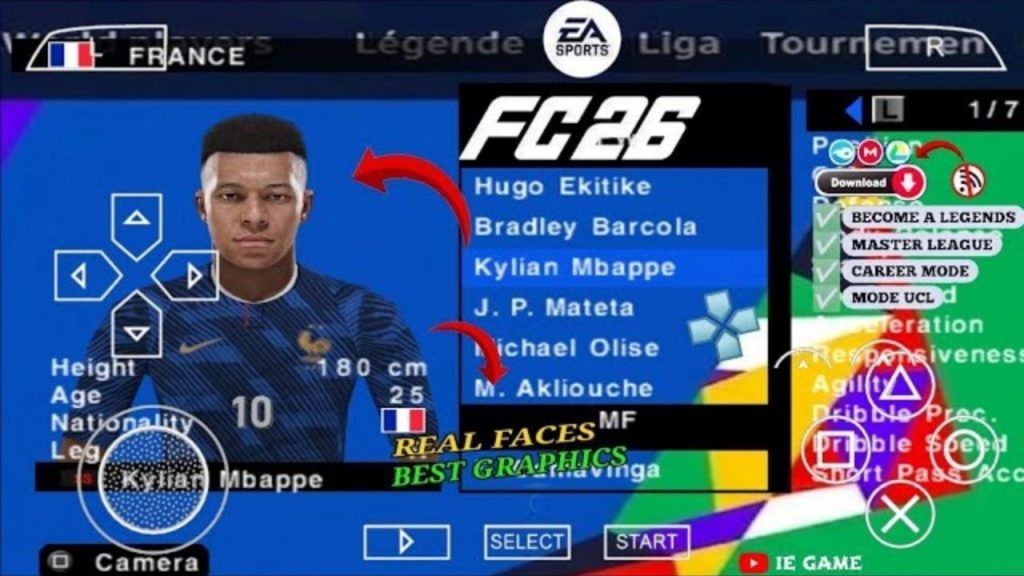
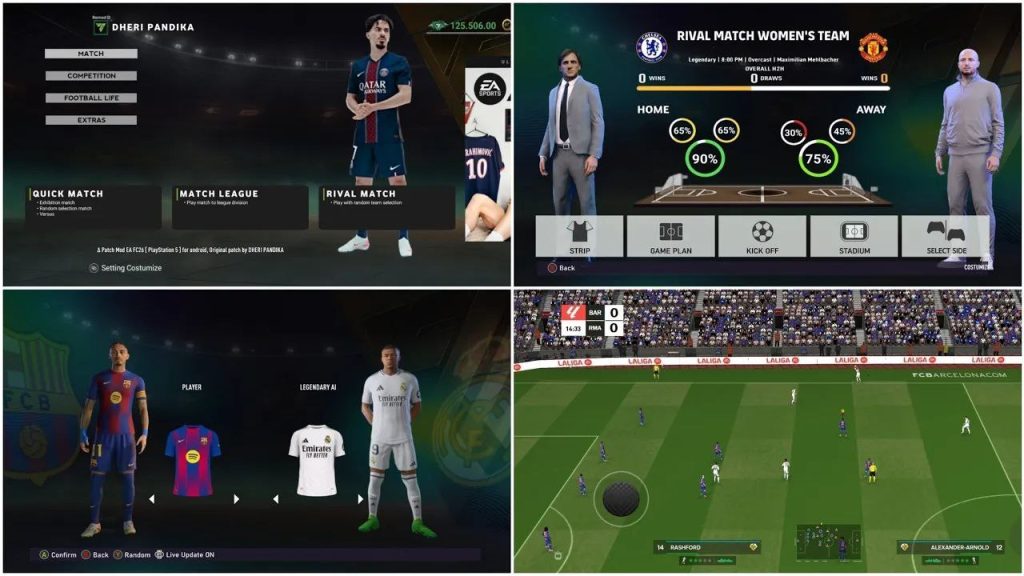
Now open your PPSSPP emulator, and find the PPSSPP games folder you created earlier on, find the game ISO file and open it. You are good to go.
For the graphics setting for the PPSSPP, Set Backend to Vulkan, it is better for modern android phones, you can leave the default if you are using an older device, also set the rendering resolution to 2x or 3x PSP.