
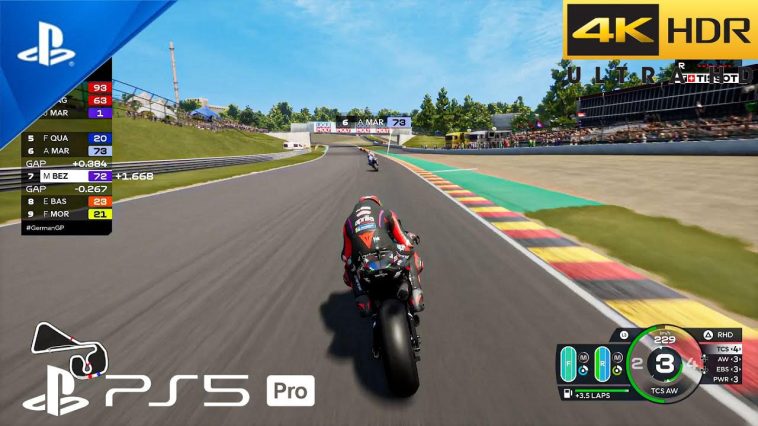
Let’s address the reality first and foremost, if you see the searching for MOTOGP 26, PPSSPP ISO, well you are looking for something that doesn’t officially exist. The Hand held PSP was discounted by Sony more than a decade ago, so developers stopped making games for the mobile console.
But there are so many handheld games that many still enjoy today. Thank God for the PPSSPP emulator for android devices. Motogp is one of such games, back in the day it was one of the best you could get on the PSP game console. But game modders have taken the old game and made it into one playable on mobile phones today, and have updated the game database to match. It’s a total conversion from the MotoGP 10, the change completely rebuilt it to simulate the 2026 season. This rebuilding involves so much work, these guys have successfully replaced riders, team, bike model, tracks and even the game sounds. Make this 15 year old game playable in 2026.
What exactly if this Mod
MOTOGP 26, PPSSPP ISO is not an official game, it is a fan made simulation and modified version of the base MOTOGP 10 game. A team of passionate and dedicated modders applied a comprehensive patch to the base game it’s a complete digital overhaul. Let’s break down the game name, so you can understand it better
MotoGP 26: We all know that this game was last produced in 2010, more than a decade ago, but this version is a patch the mirrors the 2026 season, while still playing with the 2010 core engine.
PPSSPP: This is an emulator that allows you to play .ISO (console psp) games on your Android device. You cannot run this game without the PPSSPP emulator.
Highly Compressed: The term highly compressed is a clear indication that the based game is very huge, but this version has compressed it down to a lighter version while still keeping the graphics
All top features of this Mod
This game promises a cohesive future season experience, let’s look at some of the reason I believe you would enjoy this mod versions.
2026 MotoGp Grid: A full roster and team based on realistic career progression and paddock rumours. Riders in the game have updated numbers, nationalities, helmet designs and so much more. This game blends current stats with updated rating and even speculated rookies and have replaced the retired legends. Team structures are also recreated based on current racing trends.
Visual and Graphics Asset Update: This is the amazing place where all the compression magic happens, the Modders of this game crate or source high resolution texture for:
- 2026 Team Liveries: in this game, you get custom designs for Ducati, for Yamaha, Honda, and other brands, alongside sponsors and colour schemes.
- Riders Suits and Helmet: You know the riders look is one of the most interesting parts of this game, this version has also been delivered to give that special look to riders. Every rider has its own unique look, fresh suits and helmet designs.
- Track Updates: you cannot talk about a bike racing game without the track of course. Fresh racing tracks with very realistic textures have also been added to this MOTOGP 26. That look makes it feel futuristic, while mirroring the expected 2026 facilities, (like a revised Sachsening and new facilities in Asia).
- Menu and UI: If the game play has been worked on without the menus, it will definitely feel incomplete. So the Modders have taken time to redesign the menu and navigations within the game. You get that colour punchy and coloured menus and UI interfaces. Just like the modern Moto GP.
Performance and Gameplay: Despite the fact that this game is running on an old engine, this mode is a very sophisticated version, the modders have managed to adjust the game parameters like the Ducati’s evolution, dominant or closing KTM’s gap. Tire models are also tweaked, and also AI behaviors and race strategies are also better, making the game much more challenging and interesting to play.
Other Game Features
PPSSPP Optimization: The psp emulator software has changed mobile gaming experience forever, playing these older games on mobile phones is more like a dream come true. Well the modders have also taken the PPSSPP into consideration while making the updates, and have made it very compactable. You can play the MOTOGP 26 up to 60 FPS, you can also improve the graphics by enabling Rendering at 2x Resolution and turning on texture Filtering.
Offline access: This game is not like those games that ask you for internet connection to download features, open levels or show you ads. This guarantees you full experience without the internet. You don’t need your mobile internet or wifi connection to play it, no matter your location, this game got your covered.
The game is highly compressed, all these fresh and amazing features have been compressed, the developers have found a way to reduce it from the original file size, to less than a GB, without any form of visual compromise. So it’s easier to download, better for your phone storage and still a full adventure.
How to install MOTOGP 26
Installing mod game are usually manual and a little bit stressful, but we will make it as easy as possible. To install this game you would need the following.
A good Android phone with Android 6 or higher OS.
Above 1gb storage space
The PPSSPP emulator which you can download on playstore
The ISO file which you can get from the link before this article.
ZArchiver or any deep file manager.
After downloading the game from the link below its a direct to the game file.
- If the mage file comes as a zip file, use your file manager (ZArchiver recommended) to unzip it. The ISO file would be revealed. If it’s not a zip file move on to the next step.
- Move the ISO file to a folder you can easier locate, to make things more organised, you can create a folder name it PPSSPP GAMES, and move the ISO into the folder.
- Open your PPSSPP app, navigate to the folder you have moved the ISO file to (PPSSPP GAMES recommended).
- Find your iso file and open it on your emulator, and you are good to go.
- For better graphics settings, go back to the PPSSPP Optimization section on this article.