
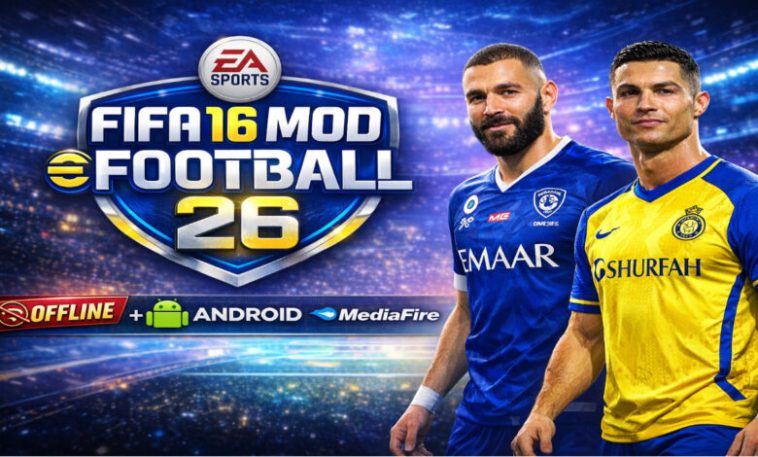
FIFA 16 Mod eFootball PES 2026, Football gaming on mobile has changed so much in the past years, back in the day it was heavily focused on the experience, but latest the entire gaming world is seem to be heavily focused on the online collaboration and the profit that comes with it, developers are no longer making games out of passion so many are just in the business for the profit. Sometimes I feel like going back to when game developers just wanted to make the best games, but some older games have completely disappeared from the play stores but that’s where the FIFA 16 Mod eFootball PES 2026 comes in.
When it comes to mobile football Gaming FIFA 16 was ones of the best game to grace our phones, it 10 year old but most of us have not forgot the prince this game gave us, the chills, the game was clearly beyond it time, the passes, the shots the physics of players and ball movement, otis all felt so real. But the game is old now and it’s not playable again right?
Well what if i tell you that this game is back and is better, it has all the things that make it suitable for 2026, I am talking about the 2026 season transfers all your favourite stars are in their real clubs with their latest stats, their names, jerseys and even stadiums have been updated to reflect the current football season. SO you get all those excitement of the past, but this time with the full updates of 2026.
What FIFA 16 Mod eFootball PES 2026 Actually Is
So how does this game even exist? EA didn’t suddenly produce an update of a decade old game, well thanks to passionate fans that have game development knowledge. They have taken the old game and rebuilt it to be fresh and new. Whenever you see a mod, just know it’s a modified version of a software and not the official one.
Instead of changing the entire game engine, or making a new game all together, these clever modders replace the game assets like the database , kits, graphics and menus with new and updated ones. So you are technically still playing FIFA 16, but this time as a 2026 game. This allows the game to resemble newer football titles while still using the classic FIFA 16 gameplay mechanics. This approach allows the game to stay lightweight and playable even on mid-range Android devices.
Why FIFA 16 Is Still Used for Modern Mods
You may be wondering why modders still choose to use this game to reproduce mod versions even after a decade. What is so special about this version of the game, the modders keep coming back to it? Well the FIFA 16 Mobile introduced a gameplay engine that many players felt balanced football and simulation elements.
The passing in this game, the shooting and dribbling needed this timing to make it accurate relying on this automated mechanics. Many players say that newer mobile football games rely too much on online systems or simplified gameplay.
FIFA 16 is also very lightweight, that means almost any mobile phone can run it smoothly, it uses the OBB file saving format, which means modders can easily edit and manipulate files to match updates.
Another aspect of this game that many enjoy is the 100% offline feature, you can play this game without any internet connection whatsoever, you don’t need wifi or mobile data to enjoy this, just pick your phone and you can pay it any day and any time, whether you are on the bus or on the street, just launch and enjoy.
Key Features of the FIFA 16 Mod eFootball PES 2026
Let look at some of the features that make players love this game so much;
Updated 2025–2026 Player Transfers: The first thing that makes this game a 2026 game is the transfer updates, you get all the players in their current club, Mbappe and Vini in Madrid, Yamal in Raphina in Barca, Isak and Salah in Liverpool, Bruno and Cunha in Man united, and the list goes on and on. Transfers across major leagues such as the Premier League, La Liga, Bundesliga, Serie A, and Ligue 1 are all included.
Improved Graphics and Stadium Details: The stadium and lighting of the version is also an updated one, you get better ball physics and player movement, you also get new and improved stadium details with lighting that look realistic. These changes do not alter the core engine but make the game look significantly more modern.
Modern eFootball Style Menu Interface: So you know those old and worn out menus the original games come with right? This has changed it up totally, you get menus that are the eFootball Style menus, it looks so modern and classy. This small change goes a long way toward making the experience feel fresh.
Full Offline Gameplay
As i mentioned before this game is completely offline, and you can play completely and access all features without needing the internet. Once the APK, OBB, and DATA files are installed on the device you turn off your internet and just keep enjoying your game. Start playing matches and winning trophies.
Classic Career and Tournament Modes
This game just like the base model comes with so many tournaments and modes
Like the
Career or Manager Mode
Tournament Mode
Exhibition Matches
Training and Skill Practice
Real Kits, Logos, and Player Faces
All your favorite clubs are represented with their real names, their real logos, their latest kits. Which further makes this game more recent and realistic. You also get the latest player faces that look like their real life counterparts. Thousands of player faces are often added or updated so that football stars resemble their real life counterparts.
How to install the FIFA 16 Mod eFootball PES 2026
1. Download the installation files from the link below this article
Download all game files here.
2. Use Zachiver to extract the installed file, you can get Zachiver apk from playstore
3. After extracting, you get 3 main files the APK, the OBB and the Data file
4. Installing the APK file, but don’t open it
5. Move the OBB folder to the storage path Internal storage > Android > OBB
6. Move the Data r to the storage path Internal storage > Android > Data
After that open you game and enjoy.